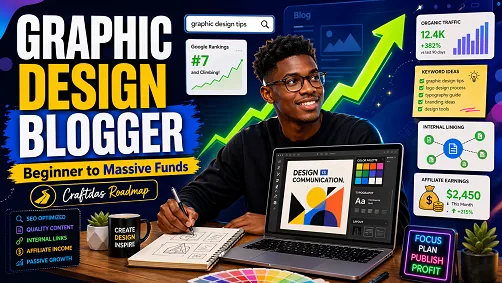

Graphic Design Blogging Roadmap For Beginners: From Learning The Niche To Making Money On Craftdas
Direct Answer
A beginner graphic design blogger should not start by posting random design content. He should learn the niche in phases, research what people search for, publish beginner-friendly posts, build internal links, optimize for search engines and AI answers, then monetize through Craftdas blogging, affiliate offers, design services, templates, and marketplace opportunities.
Why This Roadmap Matters
Graphic design is a strong blogging niche because beginners, small business owners, content creators, and brand owners constantly search for design help. They want to know how to create logos, flyers, social media posts, brand identities, Canva templates, and professional visuals without wasting time.
For a new blogger on Craftdas, the goal is not just to write articles. The goal is to build a complete content system that can attract search traffic, educate readers, recommend useful tools, promote affiliate offers, sell design resources, and eventually bring in real clients.
The big idea is simple: learn the niche, publish useful content, connect related articles together, promote Craftdas offers, and turn readers into buyers, clients, students, or affiliate conversions.
The Main Problem Beginners Face
Most beginner bloggers fail because they post without research. They write what they feel like writing instead of what people are already searching for. In graphic design, this can lead to weak traffic, poor ranking, and articles that do not connect to income.
The fix is to work in phases. Each phase teaches the blogger what to learn, what to post, how to structure content, how to use internal links, how to target keywords, how to appear in AI answers, and how to monetize through Craftdas.
Phase 1: Learn Graphic Design Foundations
The first phase is about understanding the basics. A beginner graphic design blogger should learn enough to explain design clearly to other beginners. He does not need to be perfect before writing, but he must understand the core ideas.
What To Learn
- What graphic design means
- Design elements and principles
- Typography basics
- Color theory
- Layout and spacing
- Logo design basics
- Brand identity basics
- Beginner design tools
- Common design mistakes
What To Post
- Beginner guides
- Simple explanations
- Design mistake articles
- Before-and-after design breakdowns
- Tool comparison posts
- Glossary-style articles
Research Queries To Copy And Use
what is graphic design for beginners
graphic design basics every beginner should know
elements of graphic design explained simply
principles of graphic design with examples
typography basics for graphic designers
color theory for beginner graphic designers
layout design basics for beginners
branding vs graphic design difference
logo design basics for beginners
common graphic design mistakes beginners make
Canva vs Photoshop vs Illustrator for beginner designers
how to learn graphic design without design school
best free graphic design resources for beginners
beginner graphic design exercises to practice daily
graphic design terms every beginner should know
Phase 2: Choose A Clear Graphic Design Sub-Niche
Graphic design is broad. A beginner can start wide, but to grow faster, he should choose a focused area. This helps search engines understand his blog and helps readers know what he is known for.
Good Sub-Niches For A Beginner Graphic Design Blogger
- Logo design
- Brand identity design
- Flyer design
- Social media design
- Canva design
- Small business branding
- Church and event graphics
- Fashion brand graphics
- Real estate graphic design
- Restaurant and food brand design
- Creator and content graphics
What To Post
- Posts for one audience
- Design advice for small businesses
- Niche-specific design tutorials
- Examples of good and bad designs
- Guides that solve one clear design problem
Research Queries To Copy And Use
profitable graphic design blog niches
best graphic design niches for beginners
graphic design topics people search for
logo design blog topic ideas
brand identity blog topic ideas
Canva design blog topic ideas
social media design blog topics
graphic design content ideas for small businesses
graphic design problems small business owners search for
how small businesses choose a graphic designer
most requested graphic design services online
graphic design blog niche examples
best graphic design niche for affiliate marketing
graphic design niche with high buyer intent
how to position as a beginner graphic design blogger
Phase 3: Learn Keyword Research
Keyword research helps the blogger know what people are already searching for. Without keyword research, he may write good articles that nobody finds.
At beginner level, he should focus on long-tail keywords. These are specific search phrases like “how to design a flyer in Canva” or “common logo design mistakes beginners make.” They are easier to target than broad keywords like “graphic design.”
What To Post
- How-to posts
- Beginner tutorials
- Question-based posts
- Comparison posts
- Best tool posts
- Checklist posts
- Common mistake posts
Research Queries To Copy And Use
keyword research for graphic design blog
low competition keywords for graphic design blog
long tail keywords for graphic designers
how to find keywords for design blog posts
graphic design keyword ideas for beginners
Canva tutorial keywords with low competition
logo design keywords for blog posts
brand identity keywords for SEO
flyer design keywords for small business
graphic design questions people ask on Google
People Also Ask graphic design topics
how to use Google autocomplete for blog keywords
how to find informational keywords for graphic design
how to find buyer intent keywords for graphic design
best SEO tools for beginner bloggers free
Phase 4: Build Content Pillars
Content pillars are the main categories of the blog. They help the blogger stay organized and help search engines understand the website’s authority.
For a graphic design blogger, the best content pillars should cover learning, tutorials, mistakes, business education, and tools.
Pillar 1: Beginner Learning
This pillar teaches beginners the foundation of graphic design.
graphic design beginner guide
how to start learning graphic design
graphic design basics step by step
what should a beginner graphic designer learn first
graphic design learning roadmap
Pillar 2: Design Tutorials
This pillar shows readers how to create specific designs.
how to design a flyer in Canva
how to design a logo for a small business
how to create Instagram post design
how to choose fonts for a flyer
how to make designs look professional
Pillar 3: Design Mistakes
This pillar helps readers fix what makes their designs look weak or amateur.
common flyer design mistakes
logo design mistakes beginners make
typography mistakes in graphic design
color mistakes in branding
why my designs look amateur
Pillar 4: Business And Client Education
This pillar attracts business owners who may later need graphic design services.
why small businesses need brand identity
how much should a logo cost
logo design package explained
brand identity package checklist
what to send a graphic designer before a project
Pillar 5: Tools And Resources
This pillar is useful for affiliate marketing because tool-based content can lead to product recommendations.
best graphic design tools for beginners
Canva vs Photoshop for graphic design
best free fonts for brand design
best color palette tools for designers
best mockup websites for graphic designers
Phase 5: Learn How To Write Posts That Can Rank
A blog post should not be written like a random note. It should answer one clear question, give examples, help the reader solve a problem, and connect to other useful content.
Simple Blog Post Structure
- Use a clear title with the main keyword.
- Start with a short direct answer.
- Explain the topic in beginner-friendly language.
- Add examples.
- Show steps or a checklist.
- Explain common mistakes.
- Add internal links to related posts.
- Add a Craftdas call-to-action.
- End with FAQs.
Research Queries To Copy And Use
how to write SEO blog post for beginners
SEO blog post structure that ranks
how to match search intent in blog writing
how to write helpful content for Google
how to write a direct answer for SEO
how to use headings in blog posts for SEO
how long should a beginner blog post be
how to write FAQ section for SEO
how to optimize blog images for SEO
how to write meta title and description
how to write blog posts that answer questions
how to add examples to blog posts
how to make AI assisted content original
how to avoid thin content in blogging
how to update old blog posts for better ranking
Phase 6: Internal Linking And Topic Cluster Strategy
Internal linking means connecting one article to another article on the same website. This helps readers move through the blog and helps search engines understand which posts are connected.
The beginner should create one strong main guide, then write smaller supporting posts that link back to it.
Main Pillar Post Example
Graphic Design For Beginners: The Complete Guide To Learning, Practicing, And Making Money With Design
Supporting Posts That Should Link Back To The Main Guide
- Typography Basics For Beginner Graphic Designers
- Color Theory Basics For Graphic Design Beginners
- Logo Design Basics For Beginners
- Common Flyer Design Mistakes
- How To Design A Flyer In Canva
- Brand Identity Checklist For Small Businesses
- Best Free Graphic Design Tools For Beginners
- How To Charge For Logo Design As A Beginner
Research Queries To Copy And Use
internal linking strategy for beginner bloggers
topic clusters for SEO explained
pillar page and cluster content examples
how to create topic authority with internal links
internal linking for graphic design blog
best anchor text for internal linking
how many internal links per blog post
how to link related blog posts naturally
blog content hub examples
SEO silo structure for blogs
how to build topical authority for graphic design
how to create a graphic design content cluster
internal linking mistakes bloggers make
how to link service pages from blog posts
how to use blog posts to promote affiliate links
Phase 7: Ranking In Google, Bing, And AI Answers
Search is no longer only about blue links. People now find answers through Google, Bing, AI search, AI summaries, and answer engines. This means the blogger should write content that is clear, structured, specific, and easy to quote.
How To Make Content Easier For AI Answers
- Start with a short direct answer.
- Use clear headings.
- Answer one question per section.
- Add examples from real design situations.
- Use beginner-friendly definitions.
- Add FAQs.
- Avoid empty or generic writing.
- Update posts when the information changes.
Best Types Of Posts For AI And Search Visibility
- Definition posts
- Comparison posts
- Checklist posts
- Best tools posts
- How-to tutorials
- Question-and-answer articles
- Beginner roadmap articles
- Problem-and-fix articles
Research Queries To Copy And Use
how to optimize content for Google AI Overviews
how to appear in AI answers with blog content
answer engine optimization for bloggers
how to write content for AI search
how to structure blog posts for featured snippets
how to write direct answers in blog posts
how to use FAQ schema for blog posts
how to make content easy for AI to summarize
how to cite sources in blog posts for SEO
how to add original examples to AI assisted content
how to rank on Bing search
Bing SEO guidelines for bloggers
how to optimize for Copilot search results
how to create helpful content that ranks
how to write experience based blog posts
Phase 8: Craftdas Blog And Affiliate Monetization
On Craftdas, the blogger should think beyond views. Every article should have a purpose. Some posts should educate. Some should attract traffic. Some should promote affiliate offers. Some should lead readers to his design services, templates, portfolio, or products.
Ways He Can Make Money Through Craftdas
- Publish helpful blog posts on Craftdas.
- Use affiliate links inside relevant posts.
- Recommend design tools and resources.
- Sell Canva templates or design templates on Craftdas Market.
- Link readers to his Craftdas portfolio.
- Offer logo, flyer, and brand identity design services.
- Create beginner design lessons later.
- Collaborate with other Craftdas creators.
- Use analytics to see which posts bring the best traffic.
Important Reminder
Affiliate links should not be forced into every article. The best affiliate content solves a real problem first, then recommends a tool, template, product, or service only when it naturally helps the reader.
Research Queries To Copy And Use
how bloggers make money with affiliate marketing
affiliate marketing for graphic design bloggers
best affiliate products for graphic design blog
how to write affiliate blog posts that convert
how to promote design tools as an affiliate
how to disclose affiliate links in blog posts
how to write product comparison blog posts
how to write best tools blog posts for affiliate income
how to use tutorials for affiliate marketing
how to monetize graphic design blog
how to sell Canva templates online
how to sell design templates as a beginner
how to turn blog readers into clients
how to promote design services through blog posts
how to build income streams from one blog niche
Phase 9: Build Massive Growth Content
Once the beginner understands the basics, he should start creating content that attracts people with buying intent. These are readers who may need tools, templates, services, or guidance.
High-Earning Content Types
- Best tools posts
- How much does it cost posts
- Template posts
- Checklist posts
- Mistake posts
- Comparison posts
- Tutorial posts
- Design example posts
- Before-and-after posts
- Business guide posts
Examples Of Strong Blog Post Ideas
- Best Graphic Design Tools For Small Business Owners
- Best Logo Design Tools For Beginners
- How Much Should A Logo Design Cost?
- Brand Identity Package Checklist For Small Businesses
- How To Know If Your Logo Looks Professional
- Best Canva Templates For Instagram Business Posts
- How To Brief A Graphic Designer Before A Project
- Best Fonts For Business Branding
Research Queries To Copy And Use
best graphic design tools for small business owners
best logo design tools for beginners
Canva templates for small businesses
logo design price guide
brand identity package price guide
flyer design price guide
best fonts for business branding
best colors for small business branding
logo design checklist for clients
brand identity checklist for small businesses
how to brief a graphic designer
how to know if a logo is good
Canva templates for Instagram business posts
social media design tips for small businesses
graphic design services small businesses need
Phase 10: 90-Day Posting Plan
A beginner should not try to publish everything at once. A simple 90-day plan helps him build slowly and consistently.
Month 1: Learn And Publish Beginner Basics
The first month should focus on simple beginner content. These posts help him learn while also building a foundation for the blog.
graphic design for beginners
typography basics
color theory basics
logo design basics
flyer design mistakes
Canva design tutorial
beginner graphic design tools
how to make designs look professional
Month 2: Build Authority And Internal Links
The second month should focus on deeper posts that connect to the first month’s content.
brand identity guide
logo design checklist
social media design guide
best fonts for branding
best color palette tools
graphic design mistakes
Canva vs Photoshop
how to choose brand colors
Month 3: Monetization And Affiliate Posts
The third month should start connecting content to money. This includes affiliate posts, service posts, pricing guides, and template-related content.
best design tools for beginners
best Canva resources
best mockup websites
best font websites
logo design price guide
brand identity package checklist
how to hire a graphic designer
best tools for small business branding
Best First Pillar Article To Write
Graphic Design For Beginners: The Complete Roadmap To Learning, Practicing, And Making Money With Design
This should be the main article. It should explain what graphic design is, what beginners should learn first, what tools they can use, what mistakes to avoid, how to practice, how to build a portfolio, how to publish on Craftdas, and how to make money through services, templates, affiliate offers, and design content.
Best First Supporting Posts
- 10 Graphic Design Basics Every Beginner Should Know
- Typography Basics For Beginner Graphic Designers
- Color Theory For Graphic Design Beginners
- How To Design A Professional Flyer In Canva
- Common Logo Design Mistakes Beginners Make
- Best Free Graphic Design Tools For Beginners
- How To Make Money As A Graphic Designer On Craftdas
How He Should Use Craftdas Properly
The blogger should use Craftdas as more than a publishing platform. His blog should become the top of his income system. His articles should attract readers, his internal links should keep them moving, his portfolio should show proof, his affiliate links should recommend helpful tools, and his marketplace products should give readers something to buy.
Simple Craftdas Funnel
- Reader finds his article through Google, Bing, AI search, or Craftdas discovery.
- The article answers the reader’s problem clearly.
- The article links to related posts for deeper learning.
- The article recommends a useful tool, template, service, or Craftdas offer.
- The reader visits his portfolio, buys a template, clicks an affiliate offer, or contacts him for design work.
Failure Point To Avoid
The biggest failure point is publishing content without a money path. A post can get views and still make no income if it does not guide the reader to the next step.
The Fix
- Every post should link to at least two related posts.
- Every post should include one clear next step.
- Tool-based posts should include affiliate opportunities where relevant.
- Service-based posts should link to his portfolio or contact path.
- Template-based posts should link to his Craftdas Market products.
- Learning posts should link to deeper beginner guides.
Final Direction
This new graphic design blogger should start with beginner-friendly education, build strong topic clusters, learn keyword research, publish helpful articles consistently, optimize for search engines and AI answers, then connect everything to Craftdas monetization.
The long-term goal is to turn his blog into a full income system: traffic from search, authority from useful content, trust from design examples, income from affiliate links, sales from templates, and client opportunities from his Craftdas portfolio.