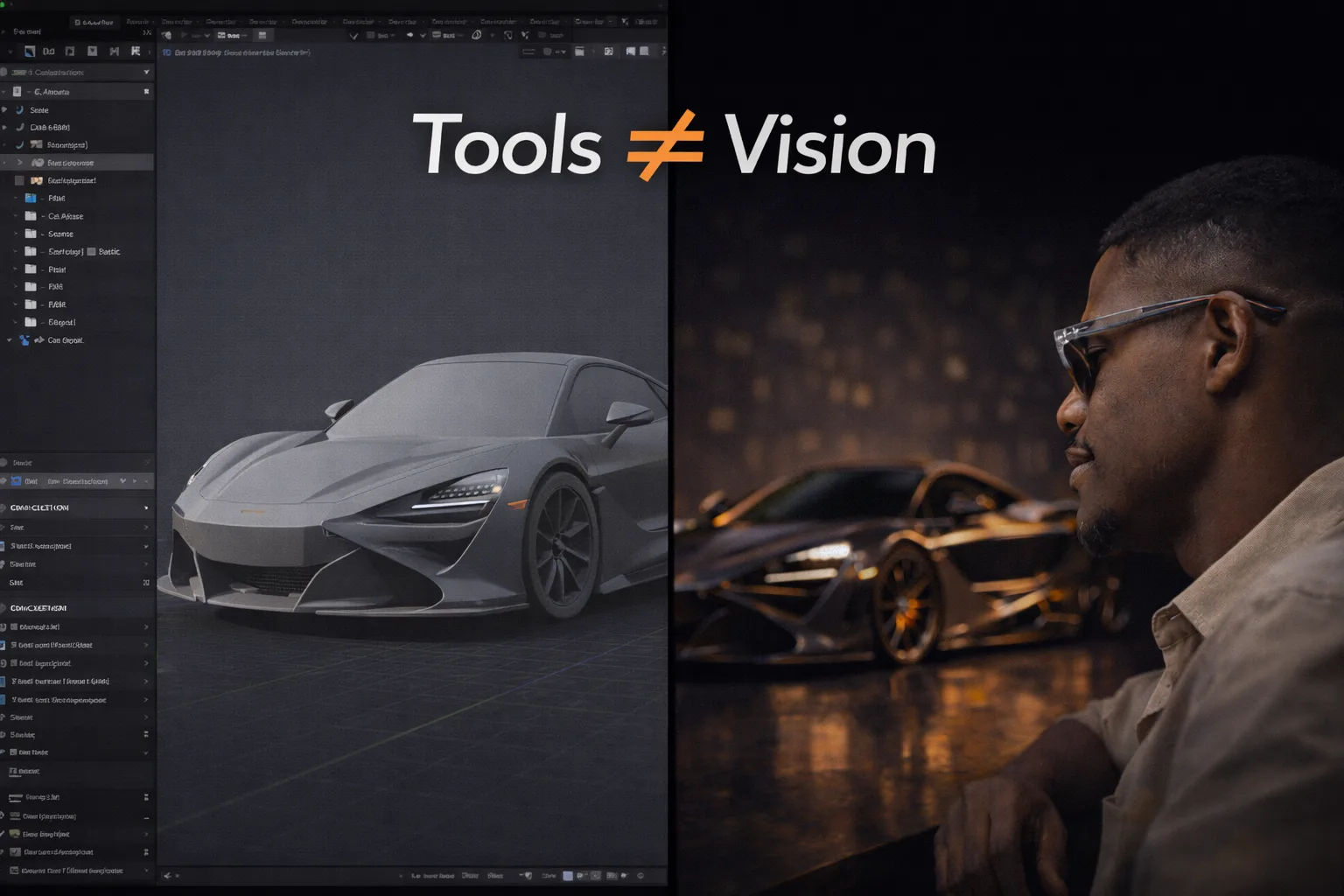

The Difference Between Knowing Blender and Thinking Like a 3D Artist
By the Team at Lightson Design Lab
For Craftdas
There's a moment in every 3D artist's development that feels like hitting a wall. You've memorized the hotkeys. You can extrude, bevel, and loop cut without thinking. You understand the difference between Eevee and Cycles. You've followed enough tutorials to build a small city of donuts, anvils, and low-poly trees.
And yet, when you sit down to create something original—something for a client, or even just for yourself—the result feels flat. It lacks something you can't name. It looks like a collection of polygons with materials applied, not like a coherent image with a point of view.
At Lightson Design Lab, we see this wall regularly, both in our own junior artists and in the portfolios that cross our desks. It's the gap between knowing Blender and thinking like a 3D artist. The first is about mastering a tool. The second is about mastering a way of seeing.
This distinction matters because the industry doesn't pay for Blender knowledge. It pays for the ability to create images that communicate, persuade, and move people. Here's how to cross that gap.
The Tool is a Language. Art is What You Say With It.
Learning Blender is like learning the grammar and vocabulary of a language. You learn where the buttons are. You learn what the modifiers do. You learn the syntax of the node editor. This is necessary. You cannot write a novel without knowing how to form sentences.
But knowing grammar doesn't make you a novelist. It doesn't give you something to say. It doesn't teach you how to structure a story, develop a character, or choose the right word for the right moment.
Thinking like a 3D artist means moving beyond the syntax of the software and into the semantics of visual communication. It means asking questions that have nothing to do with hotkeys. What is this image trying to make the viewer feel? Where should their eye go first? What's the story here, even if it's just a story about a well-designed object?
A Blender user thinks about how to model a chair. A 3D artist thinks about how that chair sits in a space, how the light falls across it, what the angle of the camera says about its importance, and whether the image makes you want to sit in it or just look at it.
The tool is the vehicle. The thinking is the destination. Too many artists spend years tuning the engine without ever deciding where they want to go.
Seeing Like an Artist: The Skill Behind the Skills
The foundational skill of thinking like a 3D artist is not modeling. It's not texturing. It's not lighting. It's seeing.
Seeing actively, not passively. Noticing how light wraps around a curved surface in the real world. Observing the way shadows have color, not just darkness. Recognizing that the edge of a table is never a perfect 90-degree angle; it has a slight bevel, a bit of wear, a subtle irregularity that makes it feel real.
Most people look at a room and see furniture. An artist looks at a room and sees relationships. The relationship between the warm light from the window and the cool shadows in the corner. The relationship between the rough texture of the rug and the smooth surface of the wooden floor. The relationship between the size of the chair and the size of the person who would sit in it.
This kind of seeing is trainable. It's a habit you build by slowing down and asking questions about everything you look at. Why does that car look aggressive from this angle but elegant from that one? Why does that photograph feel intimate while that one feels distant? What is the light doing in this scene from a film you love?
At Lightson, we encourage our artists to maintain what we call a "visual curiosity log." It's not a mood board or a reference library. It's a place to capture observations. A note about the way morning light hit a coffee cup. A screenshot from a film with a note about the color grading. A quick sketch of a shadow pattern that caught the eye. The goal is to train the brain to notice the details that software cannot generate on its own.
A Blender user sees a render and asks, "How did they make that material?" A 3D artist sees a render and asks, "Why does that feel premium?" The first question has a technical answer. The second question is where the real work begins.
Composition is Not Framing. It's Hierarchy.
One of the clearest signs of an artist who knows Blender but hasn't yet learned to think like an artist is the composition. Or rather, the lack of one.
The default approach is to place the subject in the center of the frame, zoom until it fills the space, and hit render. The result is a catalog shot. It shows you the thing. It does not tell you anything about the thing.
Thinking like an artist means understanding that composition is a tool of visual hierarchy. It tells the viewer what matters, in what order, and with what emotional weight.
A centered, symmetrical composition can feel powerful, formal, and iconic. An off-center composition with negative space can feel dynamic, editorial, and aspirational. A low camera angle makes the subject feel dominant and important. A high camera angle makes it feel approachable and intimate. A wide lens exaggerates depth and makes the subject feel present and immediate. A long lens compresses space and makes the subject feel like an object of contemplation.
None of these choices are in the Blender manual. They are not hotkeys. They are decisions made by an artist who understands that every element in the frame is either supporting the message or diluting it.
Before you place a camera in your next scene, ask yourself: What is the single most important thing in this image? Where do I want the viewer to look first? What do I want them to feel when they see it? Then place the camera to serve those answers, not just to fit the object in frame.
Lighting is Not Illumination. It's Mood.
The difference between lighting a scene and illuminating a scene is the difference between a flashlight and a cinematographer.
Beginners add lights so you can see the model. That's illumination. It's functional. It's also the fastest way to make a render look like a student project.
Artists add lights to create mood, define form, and guide attention. They understand that shadows are not the absence of light; they are a design element as important as the light itself. They know that a single, well-placed softbox can do more for a product than six random area lights. They know that the color of a shadow tells a story about the environment. A warm fill light suggests a cozy interior. A cool fill light suggests a clinical or futuristic space.
Thinking like an artist means lighting with intention. It means deciding on the emotional tone of the image before you place a single lamp. Is this scene meant to feel warm and inviting? Cool and precise? Dramatic and moody? The lighting should answer that question before the viewer even registers the subject.
At Lightson, we often start lighting a scene with a single light and a clear brief: "This product should feel luxurious and slightly mysterious." We place that light, adjust its size and distance, and only consider adding a second light when the first is doing 80% of the work. This discipline forces us to think about the quality of light, not just the quantity.
Materials Are Not Sliders. They're Observations.
The Principled BSDF shader gives you a handful of sliders: Metallic, Roughness, Specular, Clearcoat, Sheen. It's tempting to treat these as settings to be dialed in until the preview looks "about right."
An artist thinks differently. An artist looks at a reference of real brushed aluminum and notices that the reflections are slightly stretched in the direction of the brushing. They notice that the surface isn't a uniform gray; it has subtle variations in tone. They notice that the edges catch the light differently than the flat faces.
These observations translate into material decisions. A touch of anisotropy for the brushed direction. A low-strength noise texture plugged into the roughness channel to break up the uniformity. A slight edge wear map that makes the corners slightly shinier.
None of these details are visible at a glance. You don't consciously register them. But your brain does. It files them under "real" instead of "CGI." That's the power of thinking like an artist. You're not just applying materials. You're observing the world and translating those observations into a digital language.
A Blender user downloads a texture pack and applies it. A 3D artist looks at the real object, understands why it looks the way it does, and builds a material that captures that specific character.
Storytelling: Even a Product Has a Narrative
This is where the gap between knowing Blender and thinking like an artist becomes most visible. A Blender user renders a product. An artist renders a story.
The story doesn't need to be complex. It doesn't need characters or a plot. It can be as simple as: "This object is desirable." Or "This space is peaceful." Or "This device is precise and professional."
Every visual choice either supports that story or undermines it. A warm, slightly imperfect material tells a story of craftsmanship and human touch. A cool, perfectly smooth material tells a story of precision engineering. A shallow depth of field tells a story of intimacy and focus. A wide, deep-focus shot tells a story of context and environment.
Thinking like an artist means deciding on the story before you start, and then using every tool—composition, lighting, materials, camera—to tell that story as clearly as possible. It means looking at your render and asking not "Is this technically correct?" but "Does this feel like what I intended it to feel like?"
This is the shift that turns a competent 3D model into a compelling image. It's not about adding more polygons or more lights. It's about adding more intention.
The Presentation Mindset: The Render is Not the End
A Blender user finishes a render and considers the job done. An artist understands that the render is raw material that still needs to be finished.
Post-processing is not cheating. It's part of the craft. Color grading, subtle bloom, vignettes, sharpening, and compositing are tools that have been used in photography and film for decades. They are the final polish that takes an image from "render" to "deliverable."
Thinking like an artist means developing a presentation mindset. It means looking at your raw render and asking: Could the contrast be stronger? Would a slight warm tone in the highlights make this feel more premium? Does the background need to be slightly darker to make the subject pop?
Blender's Compositor is powerful and often underused. A few simple nodes—a Color Balance, a Glare node set to Fog Glow at a very low threshold, a Lens Distortion node for a subtle vignette—can transform a flat render into something that feels intentional and finished.
At Lightson, we never deliver a raw render. Every image goes through a final polish pass. It's the equivalent of a photographer spending time in Lightroom after the shoot. It's not hiding flaws. It's completing the vision.
How to Start Thinking Like an Artist Today
This all sounds abstract, but it translates into concrete actions you can take immediately.
First, slow down. The biggest enemy of artistic thinking is the rush to finish. Before you start a project, spend fifteen minutes just looking at references. Not collecting them. Looking at them. Asking questions. Taking notes.
Second, give yourself constraints. Limit yourself to one light. Limit yourself to three materials. Limit yourself to a single camera focal length. Constraints force intention. They remove the safety net of "I'll just add more stuff until it looks okay."
Third, finish projects and critique them. Not with the question "What's wrong with this?" but with the question "What could make this stronger?" Be specific. "The shadow under the product is too dark and distracting." "The background competes with the subject." "The material on the handle doesn't read as soft-touch."
Fourth, study work outside of 3D. Follow photographers, cinematographers, painters, and designers. The principles of light, composition, and visual storytelling are universal. The more you absorb from other disciplines, the richer your 3D thinking becomes.
Fifth, and most importantly, care about the viewer's experience. Every decision you make should be in service of how someone will feel when they look at your work. That's the shift. That's the difference.
Knowing Blender means you can make a 3D model. Thinking like a 3D artist means you can make someone stop scrolling, lean in, and feel something.
The first skill takes months. The second takes a career. Both are worth pursuing.