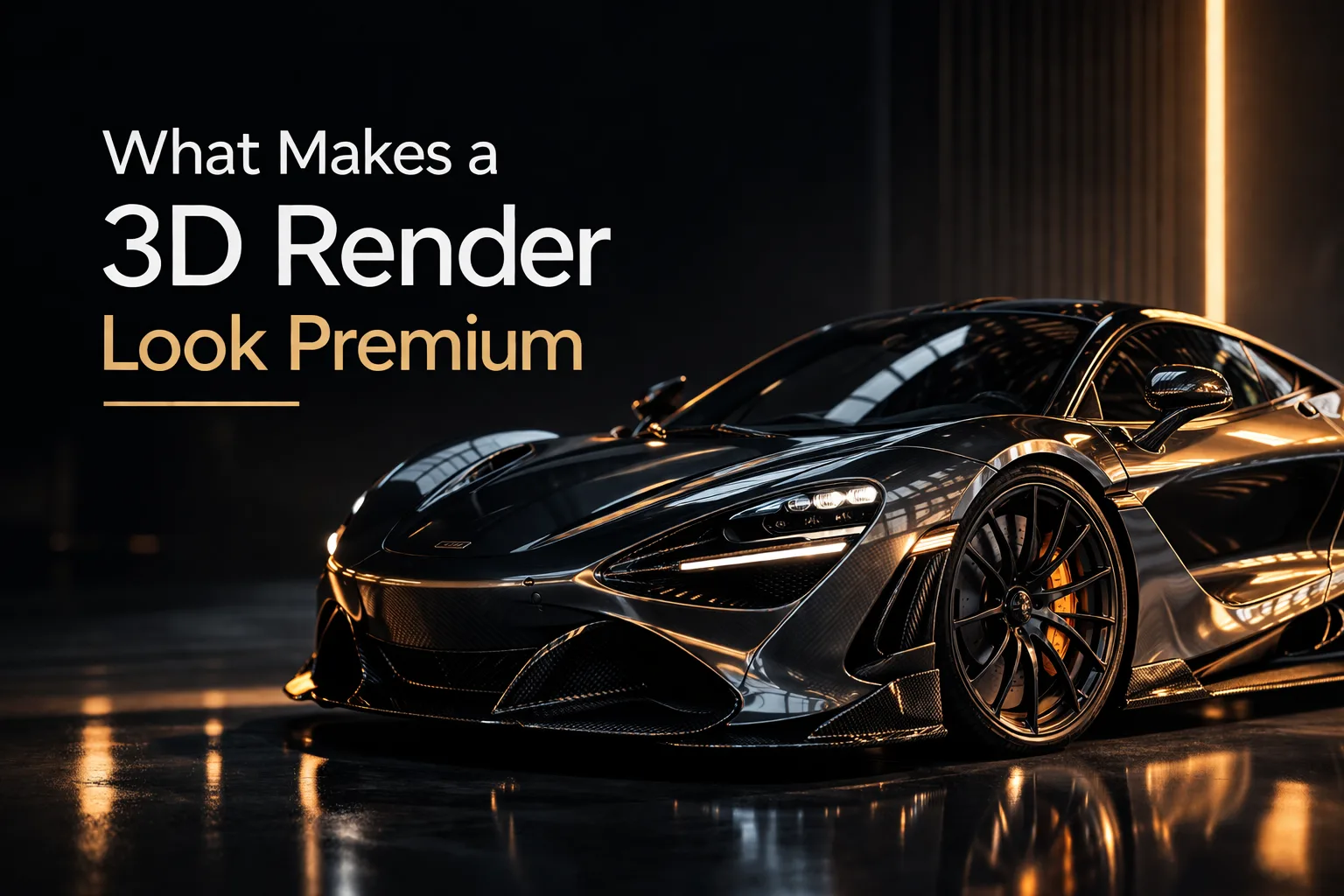

What Makes a 3D Render Look Premium (And Why It's Not Just Expensive Software)
By the Team at Lightson Design Lab
For Craftdas
There's a certain kind of 3D render that stops you mid-scroll. You're not sure why you stopped. You just know that something about the image feels expensive. Intentional. Real in a way that goes beyond polygon counts and texture resolution.
At Lightson Design Lab, we've spent years reverse-engineering that feeling. Not because we wanted to copy it, but because we wanted to understand the underlying principles. What we found is that a premium render is rarely about the software you use or the power of your GPU. It's about a series of deliberate, often invisible decisions that add up to a single, cohesive visual statement.
Here is what actually separates a render that looks like a student project from one that looks like it belongs in a luxury brand campaign.
Lighting: The Invisible Architect of Value
If you take only one thing from this article, let it be this: Premium renders are lit, not just illuminated.
Beginners add lights so you can see the object. Professionals add lights to define the object's character, material, and place in the world. The difference is night and day.
A premium lighting setup has a clear hierarchy. There is a dominant key light that establishes the mood and direction. There is a subtle fill that prevents the shadows from going completely black. There is often a rim light that separates the subject from the background with a razor-thin edge of brightness. And then, crucially, there is restraint. Nothing else.
The biggest lighting mistake we see in aspiring artists' work is over-lighting. They add a light to fix a dark spot. Then another light to fix a flat spot. Then another. The result is a scene with no shadows, no drama, and no visual hierarchy. Everything is visible and nothing is important.
Premium lighting embraces shadow. It allows parts of the image to fall into darkness. It understands that contrast is what makes the lit areas feel luminous. A single softbox placed with intention will almost always outperform six random area lights scattered around the scene.
A practical tip we use at Lightson: Before you add a second light, ask yourself if the first light is actually in the right place. Move it. Rotate it. Change its size to soften or harden the shadows. Exhaust the possibilities of one light before you introduce the complexity of two. You'll be surprised how often one light, properly positioned, does 80% of the work.
Also, study real-world lighting. Look at how a window lights a room. Look at how a single bulb in a lamp creates pools of light and shadow. Look at car photography and observe how they use giant softboxes to create long, elegant reflections on the bodywork. The physics of light in Blender, Unreal, or any modern renderer is accurate. The limitation is not the software. It's your understanding of how light behaves in the physical world.
Composition: The Frame is Part of the Design
A beautifully modeled and lit object can still look amateurish if it's placed thoughtlessly in the frame. Composition is the silent language of visual importance. It tells the viewer where to look, in what order, and for how long.
Premium renders almost never place the subject dead center with equal empty space on all sides. That's a product catalog shot. It's functional, not evocative. Premium composition uses asymmetry, negative space, and dynamic tension to make the frame feel intentional.
The Rule of Thirds is a starting point, not a destination. Placing your subject off-center creates a relationship between the object and the empty space around it. That empty space, or negative space, is not wasted. It's breathing room. It gives the subject context and scale. A luxury watch floating in a sea of dark, velvety black feels more expensive than the same watch tightly cropped against the edges of the frame.
We also pay close attention to leading lines. The edge of a table, the curve of a shadow, the angle of a background element—these can all guide the viewer's eye toward the hero product. In a premium render, nothing in the frame is accidental. Every element either supports the subject or it gets removed.
A useful exercise: Look at your render and squint until it becomes a blur of shapes and values. Where is the brightest area? Where is the area of highest contrast? That's where the eye will go first. If that's not your subject, you have a composition problem.
Materials: The Difference Between Plastic and Premium
Lighting reveals form. Materials reveal substance. A premium render convinces you that you could reach out and touch the surface and know exactly how it would feel.
The secret to premium materials is not complexity. It's accuracy and subtle variation.
Most beginners crank the roughness map to make something matte or crank the metallic slider to 1 to make something chrome. The result looks like plastic pretending to be something else. Real-world materials are almost never perfectly uniform. A matte painted surface has microscopic variations. A brushed metal has directional grain. Leather has pores. Glass has microscopic imperfections and a slight tint.
At Lightson, we build materials with layers of subtle imperfection. We add a very low-strength noise texture to the roughness channel to break up perfectly smooth reflections. We add a slight color variation to the base color so the surface doesn't look like a flat, digital swatch. We use edge wear in the roughness channel to simulate the way objects naturally get shinier on the corners where they're handled.
These variations are often invisible at first glance. You don't consciously notice them. But your brain does. It registers them as "real" instead of "CGI."
Another premium material trick: Fresnel. Every material on earth has a Fresnel effect, which means it becomes more reflective at glancing angles. The Principled BSDF handles this automatically, but many artists override it without realizing. Let Fresnel do its work. It's one of the primary visual cues that separates a render from a screenshot.
Finally, use high-quality texture maps. Not the first result from a free texture site. Take the time to find or generate maps with the right scale, the right color, and the right level of detail. A wood texture that's too large for the object looks like a dollhouse. A concrete texture that's too small looks like a noisy mess. Scale matters. Measure it against real-world reference.
Restraint: The Art of Knowing What to Leave Out
This is the hardest lesson for any artist to learn, and it's the one that most clearly separates amateur work from professional work. Premium renders are edited. They have been stripped of anything that does not actively contribute to the visual message.
Beginners tend to add. More objects. More details. More colors. More lights. They want to show you everything they know how to do. The result is visual noise. The viewer's eye has nowhere to rest.
Professionals tend to subtract. They start with a busy idea and then remove elements until only the essential remains. A single, perfectly detailed object on a clean background often reads as more premium than a cluttered scene full of props.
This principle applies to every aspect of the render. Color palette: Two or three harmonious colors are more sophisticated than a rainbow. Lighting: One dramatic light source is more powerful than five competing sources. Detail: A few carefully chosen imperfections are more convincing than a surface covered in random scratches and dirt.
Restraint is not about being boring. It's about being intentional. Every element that remains in the frame has earned its place. If you can remove something and the image still works, remove it. The result will be cleaner, stronger, and more expensive-looking.
Shape Language: The First Impression Before You See Details
Before the viewer registers the materials or the lighting or the tiny bevels on the edges, they register the silhouette. The shape language of your object communicates its personality instantly.
Premium products—the kind you see in high-end commercials and luxury editorials—have intentional shape language. They use proportions that feel balanced and resolved. Their curves are deliberate. Their transitions from one surface to another are considered.
This is harder to teach because it's fundamentally a design skill rather than a technical one. But it can be learned. Study product design. Look at the objects around you that feel expensive. Notice how their proportions work. A luxury watch has a specific ratio of case diameter to lug width. A premium chair has a specific relationship between seat height and backrest angle. These are not accidents. They are decisions made by designers who understand how form communicates value.
In your own modeling work, step back frequently and look at the silhouette. Fill the object with a flat gray material so you're not distracted by colors and reflections. Does the shape feel resolved? Do the curves flow naturally? Are there any awkward transitions or lumpy areas? Fix these before you move on to details. A beautiful material on a poorly proportioned object is a waste of a beautiful material.
Camera Choice: Focal Length is a Storytelling Tool
The default Blender camera has a 50mm focal length. It's a fine starting point, but it's rarely the best choice for a premium product shot.
Focal length changes how the viewer perceives the object. A wide-angle lens (24mm to 35mm) exaggerates perspective, making the object feel dynamic, large, and slightly dramatic. It can make a small product feel like it has presence. A telephoto lens (85mm to 135mm) compresses space, flattening the object and making it feel more graphic, more formal, more like an icon. It's the classic choice for luxury watches, jewelry, and high-end consumer electronics.
At Lightson, we choose focal length based on the emotional message. Does this product need to feel approachable and in-your-face? Wide-angle. Does it need to feel elegant, distant, and aspirational? Telephoto. The choice is never arbitrary.
Depth of field is another premium signal. A shallow depth of field, where only the hero product is in sharp focus and the background falls away into soft blur, is a classic technique borrowed from photography and film. It directs the viewer's attention and creates a sense of intimacy. But use it with restraint. Over-blurred backgrounds can look like a cheap filter. The goal is a subtle falloff that feels natural, not a gimmick.
Detail Control: Where Precision Meets Imperfection
Premium renders have a specific relationship with detail. They are not noisy. They are not cluttered. But they are also not sterile. They sit in a sweet spot where every detail serves a purpose.
This means being selective about where you add complexity. A product shot doesn't need every screw modeled. It needs the screws that are visible and that contribute to the perception of quality. It needs the bevels on the edges to catch the light. It needs the fabric texture on the seating surface. It doesn't need a thousand tiny polygons that the camera will never see.
Conversely, premium renders embrace strategic imperfection. A perfect, mathematically clean surface reads as CG. A surface with a tiny bit of edge wear, a subtle fingerprint on a reflective area, or a slight variation in the grain of the wood reads as real. The key word is subtle. You should not notice the imperfection consciously. It should just make the render feel more grounded.
At Lightson, we have a library of subtle imperfection maps: dust, scratches, smudges, edge wear. We apply them at very low opacity, often between 5% and 15%. At full strength, they look like a damaged object. At low opacity, they look like a real object that exists in the world.
Art Direction: The Coherent Vision That Ties Everything Together
All of the above elements—lighting, composition, materials, shape, camera, detail—are tools. Art direction is the hand that wields them. It's the overarching vision that ensures every choice serves the same goal.
A premium render has art direction. It knows what it's trying to say and it says it with consistency. The lighting supports the mood. The composition supports the focal point. The materials support the perceived value. The color palette supports the emotional tone. Nothing is fighting anything else.
This is the hardest skill to develop because it requires taste and experience. But it can be practiced. Before you start a render, write down three adjectives that describe the feeling you want the image to have. "Warm, inviting, handcrafted." Or "Cold, precise, futuristic." Or "Elegant, timeless, aspirational." Then, as you make every decision—light placement, color choice, camera angle—ask yourself if that decision supports those three words. If it doesn't, change it.
This simple exercise forces you to think like an art director instead of just a technician. It elevates the work from "look what I can model" to "here is a complete visual statement."
The Final Frame
A premium 3D render is not the result of a single magic trick. It's the accumulation of dozens of small, intentional decisions made with taste and restraint. It's the lighting that knows when to be dramatic and when to be soft. It's the composition that guides the eye without shouting. It's the material that feels real because it's slightly imperfect. It's the shape that feels resolved because someone cared enough to get the proportions right.
None of this requires a faster GPU. None of it requires a more expensive software license. It requires slowing down, looking critically at your own work, and asking the hard question: Does this element deserve to be in the frame?
The artists whose work stops you mid-scroll are not necessarily more technically skilled than you. They are just more intentional. They have developed the taste to know what to add and the courage to know what to remove.
That's the work. That's the craft. And it's available to anyone willing to put in the hours and the thought.
Now go make something that looks expensive.